

product design
What is Easy Reach?
India is home to 15 million elderly individuals living alone, often excluded from technological advancements due to barriers in accessibility. This project re-imagines existing technology to cater to individuals aged 65+ in urban India, focusing on accessible digital interfaces and enhancing information and communication tools.
The proposed solution is a smartphone attachment, similar to a phone case, that simplifies and enhances core functions. It natively adapts the smartphone to enable intuitive calling, music playback, and contextual guidance within indoor public spaces. Designed with simplicity, intuitiveness, and inclusivity in mind, the solution has the potential to serve a wider audience by addressing universal principles of usability and accessibility.
Prioritizing seamless integration with users’ routines, the design respects the needs of the elderly while extending its value to others seeking intuitive and accessible technology.


What is its purpose?
As the adoption of technology accelerates, India is rapidly integrating digital systems into daily life through initiatives like Digital India. Contactless UPI payments are now commonplace, and public infrastructure such as airports is evolving with automated services.
For older individuals, navigating these changes can be challenging.
A contextually mapped and informed solution to better tackle this challenge takes shape in the form of Easy Reach.
Understanding the users
Simulating the expectations and motivations of user archetypes through persona-based walkthroughs.
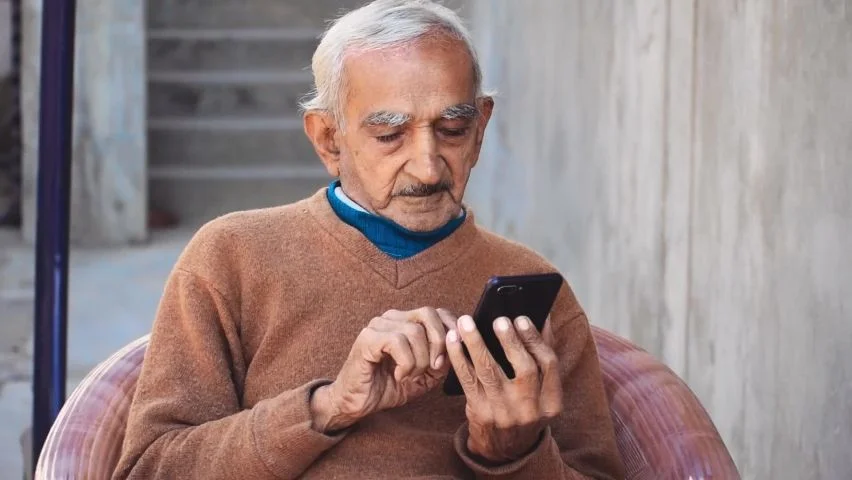
Prasad | 72 y/o | New Delhi
Backstory
Prasad lives in New Delhi by himself and his family lives in Southern India. He runs his own house but has domestic help for cooking meals and cleaning.
Frustration
His family feels air travel is better as well, however Prasad needs to overcome his fear of the large new space. He doesn’t want to compromise on his independence and dignity by being put in a wheelchair for assistance.
Motivation
He enjoys spending time with his family and travels to stay with them for months at a time. He now feels restless to travel by train and wishes to fly instead. However, he is intimidated by the scale of the airport.
Ideal Experience & Feelings
He wishes he could navigate the airport processes without asking someone else for continuous support. Prasad gets a device to help him throughout the airport processes, all the way till be boards the flight. It tells him where to go, even which machine and what it looks like and how to use them.

Gauri | 77 y/o | Kerala
Backstory
Prasad lives in New Delhi by Gauri lives by herself in Kerala while the rest of her family lives in Dubai. She is an independent lady living in her family home in a city she is familiar with as she has stayed there for a long time.
Frustration
She doesn’t like that the calls are scheduled and that she has to ask to be called. When things happen around her, she wants to be able to share them then. She doesn’t understand how to operate the smartphone more than answer calls or make normal calls.
Motivation
She likes to talk to her grandchildren often and adjusts her routine to match theirs. They speak everyday when her children arrange the call. However, she would like to call them breifly on her own to show them the stray cats that come to the house every evening.
Ideal Experience & Feelings
Gauri uses the simple user interface to launch a call menu. She doesn’t have to look up the contact, she simply taps the image of her child and selects video call to easily connect and show her grandchildren the food she is making and will make for them when she see them, the toys she is collecting to give them and the likes.


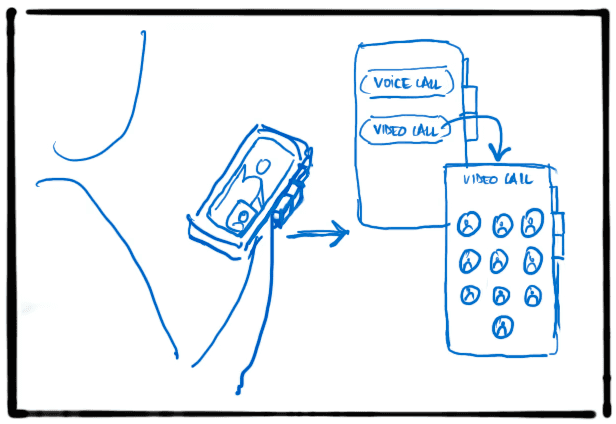


User Journey
Exploring the product’s use in real-world scenarios to map out a user’s journey using a storyboard.
System Architecture
The smartphone case maintains seamless contact with the phone and functions using integrated NFC.
Principally, the smartphone’s interface is overridden when an Easy Reach mode is launched. The smartphone's capabilities are then used to run the selected mode.
As for the indoor navigation mode, successful implementation would require collaboration with government and private entities managing public infrastructure.

Precedents
Selected two secondary studies that informed aspects such as the feasibility of adoption and existing technology.


Unified Payments Interface (UPI) - Digital habit adoption
UPI is deeply integrated into daily life in India used by retails stores and hawkers alike, becoming the preferred payment method.
Scanning a merchant QR code seamlessly links to the user’s payment app such as Google Pay, making phone payments more common than cash, a habit altered in Indians.


InkCase - Smart phone case
The E InkCase is a smart phone case that protects the device while serving as a secondary screen.
With low-power E Ink technology and NFC, it functions as an e-reader and photo display. Its sleek design ensures unencumbered handling of the phone itself.
Prototyping Hardware
01
The physical form must be lightweight and easy to hold while reminiscent of the portable cassette player and radio.
Users test the feel of the form. Buttons should not be at the bottom where fingers naturally rest, so as not to accidentally press a button.


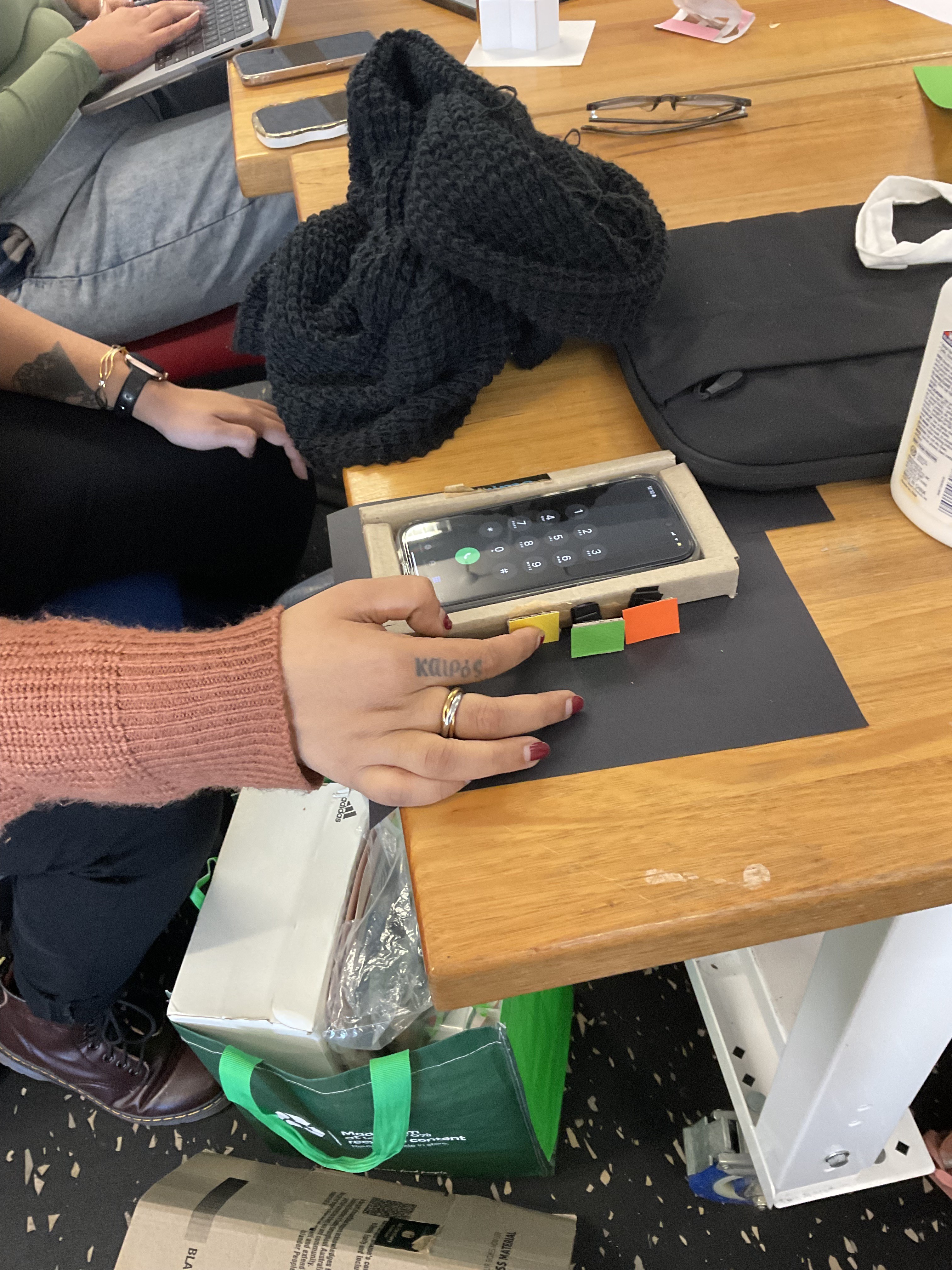


02
Using an existing phone as a basis for further development of sketch studies to establish a true working space for the buttons.
Further proportions were determined by observing phones with two different types of phone cases for an average thickness of cover and a reasonable give for the button press without creating a stark visual imbalance.

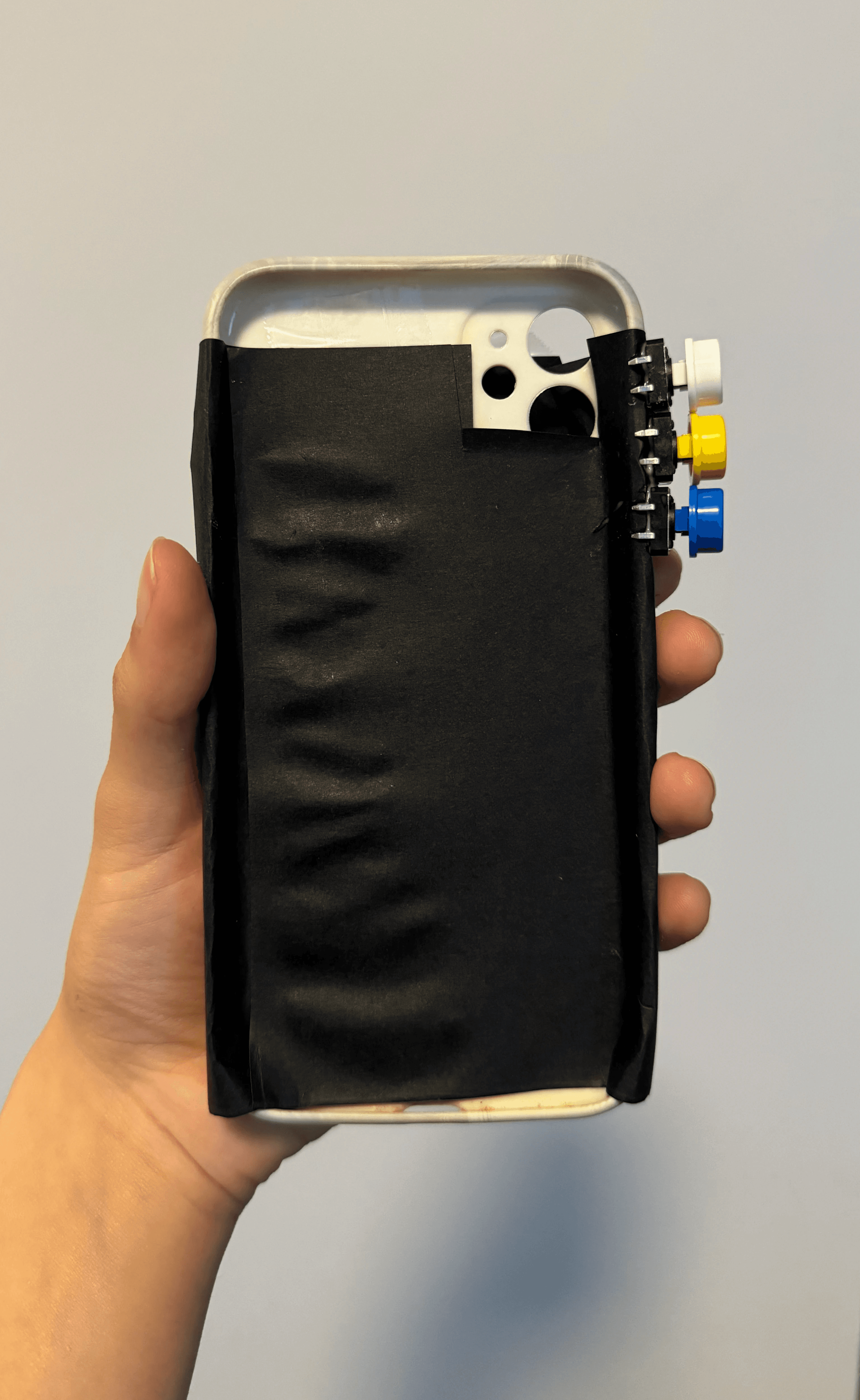
03
The buttons are distinctly coloured and are very close to the intended size for the case.
The pressing interaction provides a satisfactory click sound as feedback.
The focus is on evaluating the size and proportion of elements alongside overall composition.
A comfortable thickness of about 150mm is established.
04
A 3D prototype modeled to scale. The ideal button interaction is completed with an intentional press. It is more than a click or tap; it is a push.
The thickness of the case is much like the e-Inkcase as well as battery packs attached to the back of the phone, such as Apple’s MagSafe attachments. This demonstrates that the true ergonomics of the case will be effective.


Prototyping Interface
01
An integral part of how Easy Reach is experienced is the renewed look of the user interface for the selected operations.
It must feel familiar, intuitive and convey key information clearly.
A keypad is transformed to show images of close contacts to be a new speed dial, the radio screen is familiar to the analog part visible on actual physical radios, and the indoor navigation is clean, conveying only the information needed for that time.
The intent is to make the interface familiar and intuitive while conveying key information clearly.
These initial sketches form the basis for further development of the actual interaction options.


02
A conceptual structure mapping interactions across modes.
Each mode, once activated, overrides the smartphone interface.
Calls: Supports speed dial for voice/video calls and triggers an emergency alert when the button is pressed three times.
Entertainment: Provides access to radio and downloaded music.
Indoor Navigation: Sends context-aware push notifications to prompt use, followed by scenario-specific guidance.
03
Development of the indoor navigation mode with an example scenario of being at an airport for travel through sketches of the steps in screens.
Visual language must be clean and simple for ease of use but not overly reductive.
Including nostalgic elements and interactions aside from the physical button push such as rotating a phone dial and scrolling to move through radio stations.


Interface Design
Music
The middle button launches the music mode that is confirmed by a splash screen. These screens clearly show what mode has been launched.
Options to choose between downloaded songs and to tune in to a radio station.
Radio screen uses the more traditional element of a dial and markers that users would be familiar with as they are similar to those used in portable radio transistors.
The songs option opens a list of songs to play, shuffle, forward and rewind.


Interface Design
Upon the call button being pressed three times consecutively, the emergency action confirmation screen shows up.
Once the user confirms the action, alerts are issued.
If the user denies the action as intentional, the emergency alert is dismissed.


Contextual navigation with options to receive voice guidance. Also has an option to speak to the assistant in case of an issue.
The mode also guides the user to use the self-operated kiosks and machines, further supporting the machines themselves.
The user can go back a step at any point. The user decides when to move to the next steps, except while active navigation.


